> ## Documentation Index
> Fetch the complete documentation index at: https://wb-21fd5541-feat-cli-docs-generator.mintlify.site/llms.txt
> Use this file to discover all available pages before exploring further.
# run を移動する
このページでは、run を別のプロジェクト間で、またはチーム内外、またはあるチームから別のチームへの移動方法を示します。現在の場所と新しい場所の両方で run へのアクセス権が必要です。
run を移動する際、関連する履歴アーティファクトは移動されません。アーティファクトを手動で移動するには、[`wandb artifact get`](/ja/models/ref/cli/wandb-artifact/wandb-artifact-get/) SDK コマンドや [`Api.artifact` API](/ja/models/ref/python/public-api/api/#artifact) を使用してアーティファクトをダウンロードしてから、[wandb artifact put](/ja/models/ref/cli/wandb-artifact/wandb-artifact-put/) や `Api.artifact` API を使用して、run の新しい場所にアップロードします。
**Runs** タブをカスタマイズするには、[Project page](/ja/models/track/project-page/#runs-tab) を参照してください。
## プロジェクト間で run を移動する
run をあるプロジェクトから別のプロジェクトに移動するには:
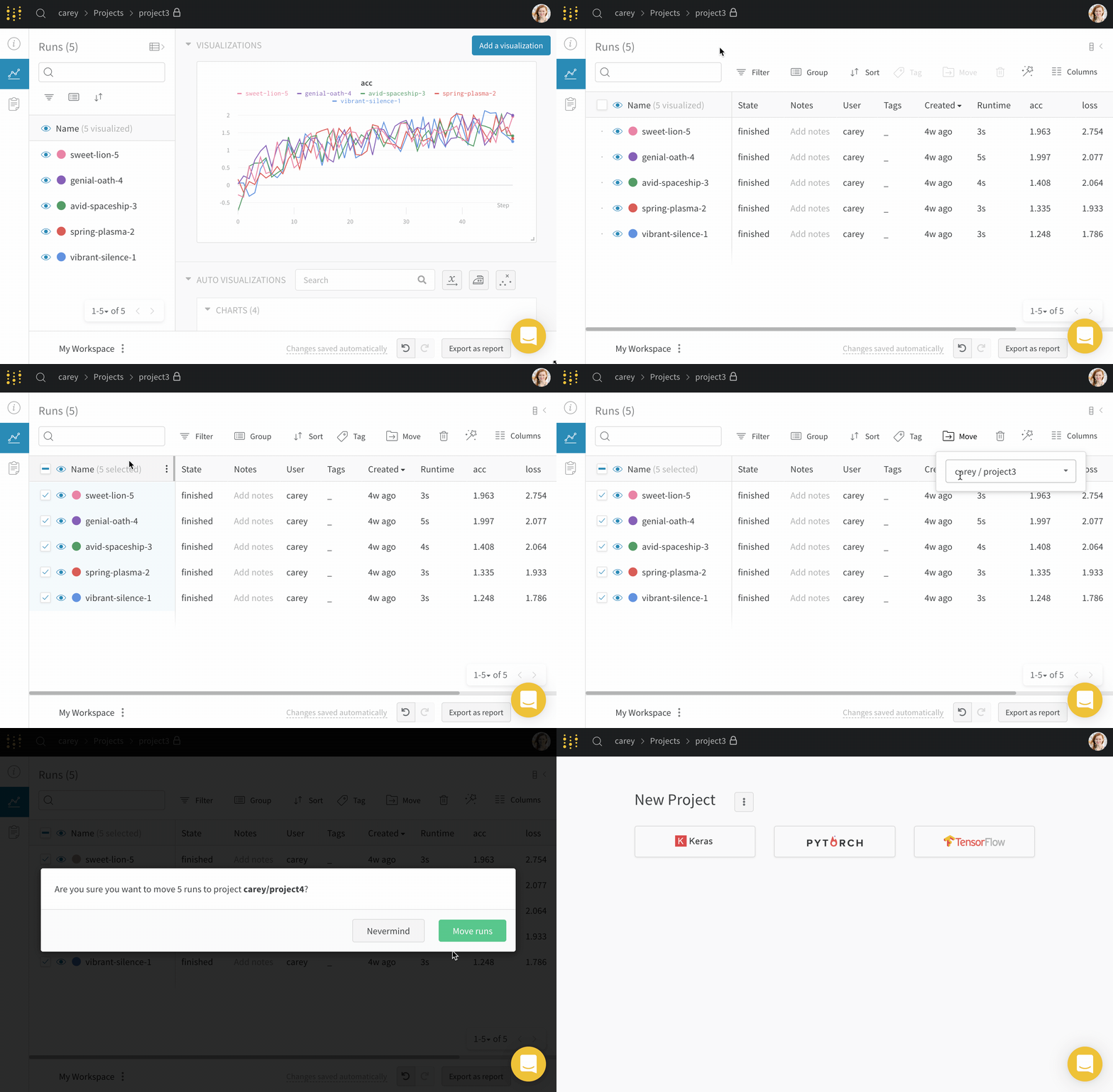
1. 移動したい run を含むプロジェクトに移動します。
2. プロジェクトのサイドバーから **Runs** タブを選択します。
3. 移動したい run の横にあるチェックボックスを選択します。
4. テーブルの上にある **Move** ボタンを選択します。
5. ドロップダウンから移動先のプロジェクトを選択します。
 ## チームに run を移動する
あなたがメンバーであるチームに run を移動するには:
1. 移動したい run を含むプロジェクトに移動します。
2. プロジェクトのサイドバーから **Runs** タブを選択します。
3. 移動したい run の横にあるチェックボックスを選択します。
4. テーブルの上にある **Move** ボタンを選択します。
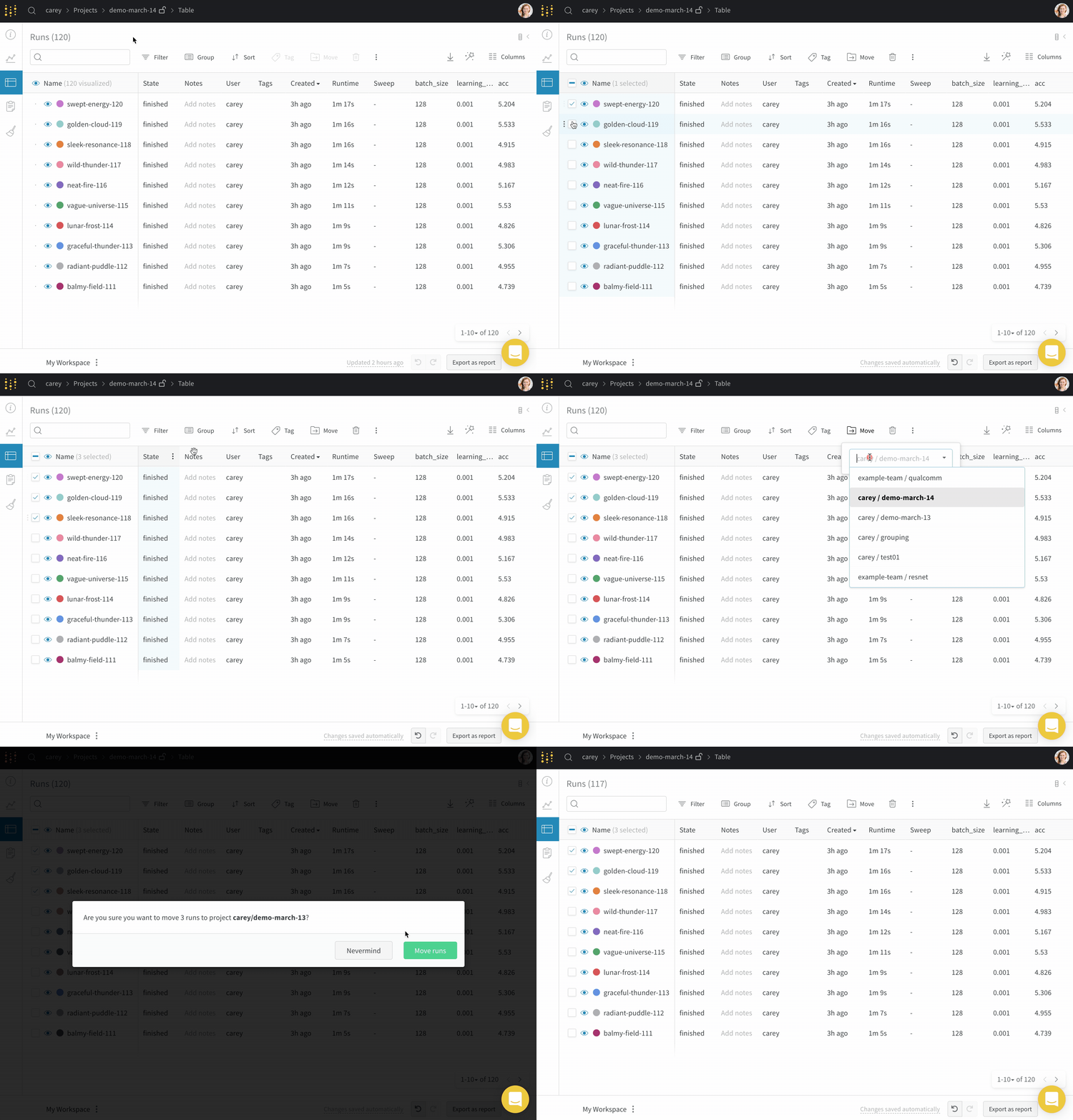
5. ドロップダウンから移動先のチームとプロジェクトを選択します。
## チームに run を移動する
あなたがメンバーであるチームに run を移動するには:
1. 移動したい run を含むプロジェクトに移動します。
2. プロジェクトのサイドバーから **Runs** タブを選択します。
3. 移動したい run の横にあるチェックボックスを選択します。
4. テーブルの上にある **Move** ボタンを選択します。
5. ドロップダウンから移動先のチームとプロジェクトを選択します。