> ## Documentation Index
> Fetch the complete documentation index at: https://wb-21fd5541-feat-cli-docs-generator.mintlify.site/llms.txt
> Use this file to discover all available pages before exploring further.
# レポート
> 機械学習プロジェクトのためのプロジェクト管理とコラボレーションツール
W\&B Reportsを使って:
* Runsを整理する。
* 可視化を埋め込み、自動化する。
* 学びを説明する。
* LaTeXのzipファイルやPDFとして、共同作業者と更新を共有する。
次の画像は、トレーニング中にW\&Bにログされたメトリクスから作成されたレポートの一部を示しています。
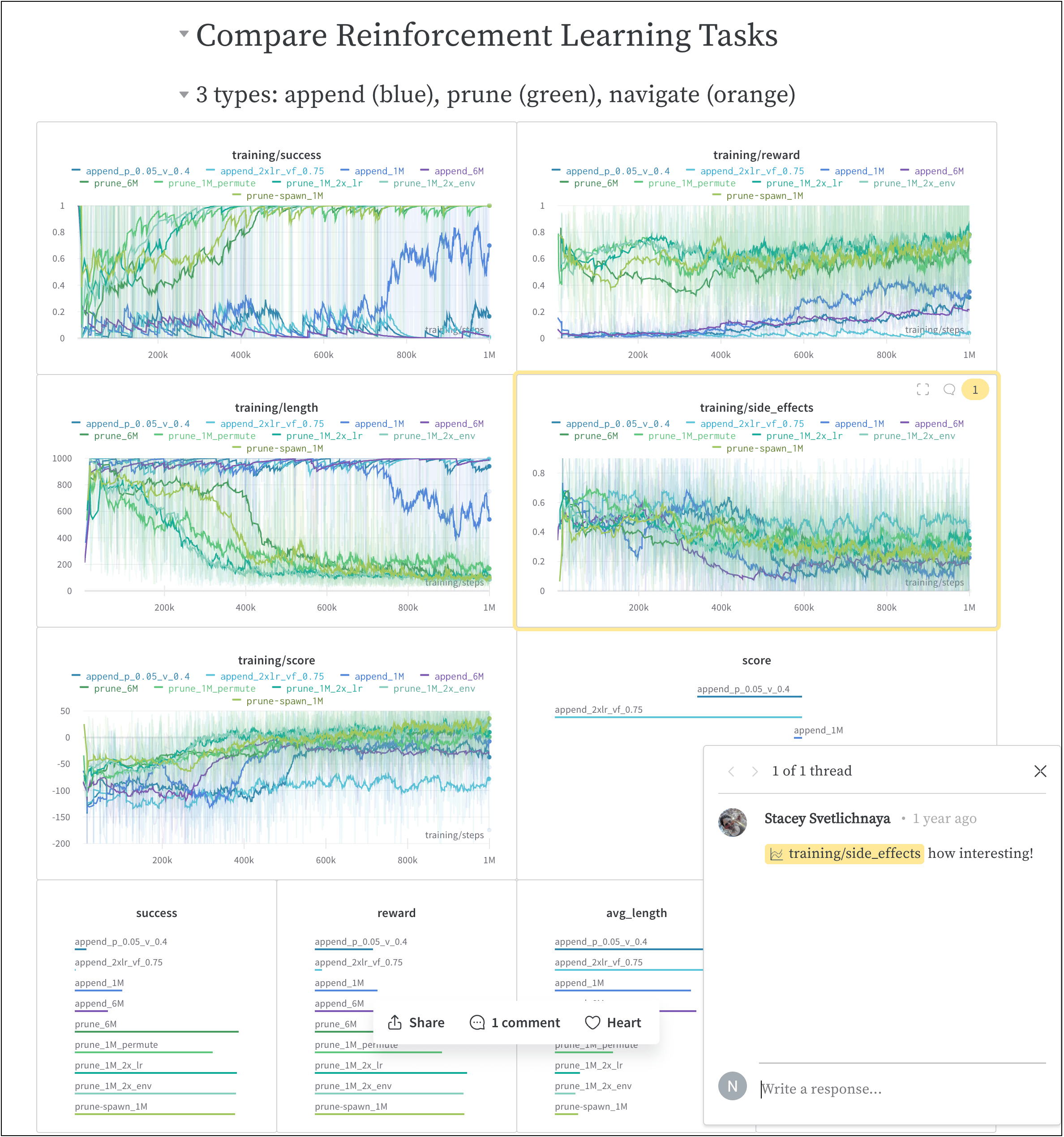 上記の画像が撮影されたレポートは[こちら](https://wandb.ai/stacey/saferlife/reports/SafeLife-Benchmark-Experiments--Vmlldzo0NjE4MzM)からご覧いただけます。
## 仕組み
簡単なクリック操作で共同レポートを作成することができます。
1. W\&B App内のW\&Bプロジェクトワークスペースに移動します。
2. ワークスペースの右上にある**Create report**ボタンをクリックします。
上記の画像が撮影されたレポートは[こちら](https://wandb.ai/stacey/saferlife/reports/SafeLife-Benchmark-Experiments--Vmlldzo0NjE4MzM)からご覧いただけます。
## 仕組み
簡単なクリック操作で共同レポートを作成することができます。
1. W\&B App内のW\&Bプロジェクトワークスペースに移動します。
2. ワークスペースの右上にある**Create report**ボタンをクリックします。
 3. **Create Report**と題したモーダルが表示されます。レポートに追加したいチャートとパネルを選択してください。(後でチャートとパネルを追加または削除することができます)。
4. **Create report**をクリックします。
5. レポートを希望の状態に編集します。
6. **Publish to project**をクリックします。
7. **Share**ボタンをクリックし、共同作業者とレポートを共有します。
W\&B Python SDKを使用して、インタラクティブにまたプログラム的にReportsを作成する方法については、[Create a report](/ja/models/reports/create-a-report/)ページをご覧ください。
## 開始方法
ユースケースに応じて、W\&B Reportsを開始するための以下のリソースを探索してください:
* W\&B Reportsの概要をつかむために、[ビデオデモンストレーション](https://www.youtube.com/watch?v=2xeJIv_K_eI)をご覧ください。
* ライブレポートの例を見たい方は、[Reports gallery](/ja/models/reports/reports-gallery/)を探索してください。
* ワークスペースの作成とカスタマイズ方法を学ぶためには、[Programmatic Workspaces](/ja/tutorials/workspaces)チュートリアルを試してください。
* [W\&B Fully Connected](http://wandb.me/fc)でキュレーションされたReportsをお読みください。
## ベストプラクティスとヒント
Experimentsとログに関するベストプラクティスとヒントについては、[Best Practices: Reports](https://wandb.ai/wandb/pytorch-lightning-e2e/reports/W-B-Best-Practices-Guide--VmlldzozNTU1ODY1#reports)をご覧ください。
3. **Create Report**と題したモーダルが表示されます。レポートに追加したいチャートとパネルを選択してください。(後でチャートとパネルを追加または削除することができます)。
4. **Create report**をクリックします。
5. レポートを希望の状態に編集します。
6. **Publish to project**をクリックします。
7. **Share**ボタンをクリックし、共同作業者とレポートを共有します。
W\&B Python SDKを使用して、インタラクティブにまたプログラム的にReportsを作成する方法については、[Create a report](/ja/models/reports/create-a-report/)ページをご覧ください。
## 開始方法
ユースケースに応じて、W\&B Reportsを開始するための以下のリソースを探索してください:
* W\&B Reportsの概要をつかむために、[ビデオデモンストレーション](https://www.youtube.com/watch?v=2xeJIv_K_eI)をご覧ください。
* ライブレポートの例を見たい方は、[Reports gallery](/ja/models/reports/reports-gallery/)を探索してください。
* ワークスペースの作成とカスタマイズ方法を学ぶためには、[Programmatic Workspaces](/ja/tutorials/workspaces)チュートリアルを試してください。
* [W\&B Fully Connected](http://wandb.me/fc)でキュレーションされたReportsをお読みください。
## ベストプラクティスとヒント
Experimentsとログに関するベストプラクティスとヒントについては、[Best Practices: Reports](https://wandb.ai/wandb/pytorch-lightning-e2e/reports/W-B-Best-Practices-Guide--VmlldzozNTU1ODY1#reports)をご覧ください。